
Clack, Clack, Clack: Bakit Biglang Nag-Evolve Ang Keyboard Game Ng Mga Pinoy Professionals?

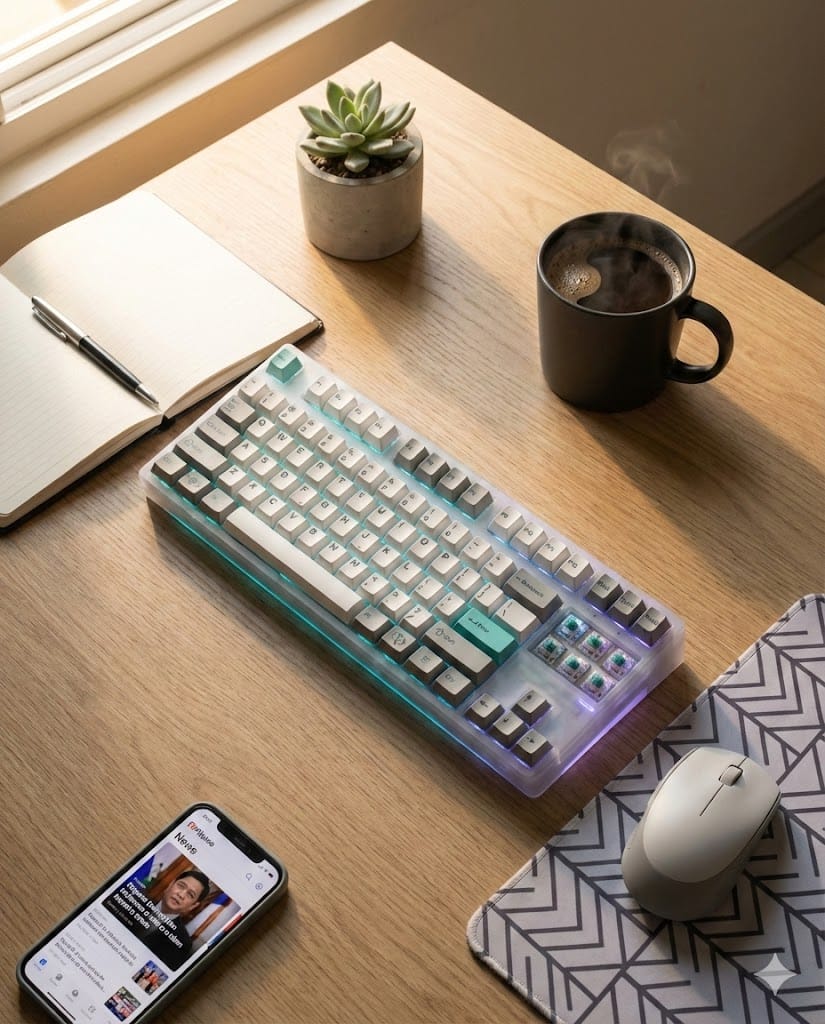
Napansin mo na ba? Yung mga officemates mo na dati ay okay lang sa standard keyboard na kasama ng PC nila, biglang nag-upgrade na ngayon sa mga keyboard na parang ang laki ng budget? Yung tipong rinig mo pa yung bawat keystroke kahit naka-headphones ka? Welcome to the world of mechanical keyboards, pre—at hindi ito simpleng flex lang.
Ano Ba Talaga Ang Mechanical Keyboard?
Para sa mga hindi pa familiar, mechanical keyboard is basically a keyboard na may individual switch para sa bawat key. Unlike yung typical membrane keyboards na parang isang sheet lang ng rubber sa ilalim ng keys, mechanical keyboards have actual physical switches—think of it as upgrading from instant coffee to brewing your own beans. May iba't ibang klase pa ng switches: may Cherry MX, Gateron, Kailh, at kung anu-ano pa.
Pero bakit nga ba biglang boom ang trend na 'to sa Pilipinas, specifically among young professionals?
The Real Talk: Bakit Ka Dapat Mag-Switch?
1. Typing Feel Na Iba Talaga
Hindi ko makakalimutan nung una kong na-try ang mechanical keyboard sa bahay ng tropa ko. Akala ko OA lang sila na ang sarap daw i-type. Pero tangina, totoo pala. May satisfaction na nangyayari sa bawat keystroke—parang mas motivated ka pang magtrabaho or mag-code. It's like driving a manual transmission car versus automatic. May connection ka sa ginagawa mo.
For people like us na halos 8-10 hours a day ang screen time, yung comfort and feel ng typing is a big deal. Carpal tunnel syndrome is real, bro. Invest sa tools mo.
2. Durability Na Sulit Sa Matagalan
Yung mga membrane keyboards? Usually good for around 5 million keystrokes lang. Mechanical switches? We're talking about 50-100 million keystrokes. Kung iniisip mo na mahal, think of it as investment. Pwede mo pang ipamana sa future anak mo. Charot. But seriously, these things last.
3. Customization Culture (Flex Factor, Let's Be Honest)
Dito papasok yung rabbit hole. Once naka-try ka na, you'll realize na hindi lang keyboard ang binili mo—binili mo ay hobby. May keycaps, switches, lube, foam mods, custom cables—pangit pa naman talaga ng Pinoy sa pag-customize. From cars to bikes to sneakers, ngayon keyboards naman.
You can build a keyboard that reflects your personality. Gamer aesthetic? Minimalist white-gray theme? Retro 80s vibes? Lahat pwede. At yung best part? May thriving Filipino mechanical keyboard communities na sa Facebook at Discord. Helpful pa mga tao, hindi gatekeepers.
4. Productivity Boost (Hindi Lang Placebo)
Studies show na mas accurate at mas mabilis ka mag-type sa mechanical keyboards because ng tactile feedback. You know exactly when a key actuates. Sa membrane keyboards, minsan nag-ddouble type ka or kulang ang press mo. Small things, pero these add up throughout your workday.
Plus, kung programmer or writer ka, yung satisfaction ng typing makes boring tasks feel slightly less boring. Psychological lang siguro, pero it works.
The Dark Side: Bago Ka Sumali Sa Cult
Okay, real talk din. Hindi lahat sunshine and rainbows sa mechanical keyboard world.
1. Maingay Siya
Unless bumili ka ng silent switches (which defeats the purpose for some purists), maririnig ng buong bahay ang typing mo. If you're living with roommates or family, this could be an issue. Lalo na kung night shift ka. May mga nag-away na nga dahil dito, totoo yan.
2. Addictive Ang Hobby
Sinabi ko na sa'yo. Once in, you're in deep. You'll start browsing group buys, checking out artisan keycaps, watching keyboard build videos sa YouTube hanggang 3AM. Next thing you know, may tatlong mechanical keyboards ka na at nag-pplano ka pa ng fourth. RIP wallet.
3. Mahal Talaga Siya
Entry-level mechanical keyboards start at around ₱2,000-₱3,000, pero yung mga mid-range to high-end? We're talking ₱5,000 to ₱15,000+. Custom builds pa nga umabot ng ₱30,000 or more. Kaya before ka sumugod, make sure ready ang budget mo.
Paano Magsimula Kung Interested Ka?
Step 1: Alamin Kung Anong Switch Type Ang Para Sa'yo
- Linear (Red switches): Smooth, walang bump. Para sa gamers usually
- Tactile (Brown switches): May slight bump, balanced for gaming and typing
- Clicky (Blue switches): Yung maingay, may click sound. Typing heaven but officemates hell
Try mo muna sa physical stores like Datablitz, GameXtreme, or specialty keyboard shops sa Gilmore. Test before you invest.
Step 2: Set A Budget
Don't go all-in agad. Start with a decent entry-level board. Royal Kludge, Keychron, o Redragon are good starting brands na available locally.
Step 3: Join Communities
- Facebook Groups: "Mechanical Keyboards Philippines", "Custom Keyboards PH"
- Discord Servers: Maraming local servers na super helpful
Learn from others. Magtanong. Most keyboard enthusiasts are friendly and willing to help beginners.
Step 4: Be Patient
Maraming group buys at pre-orders sa keyboard world. Minsan aantay ka ng 6 months to 1 year para sa keycaps or keyboard kit. Ganun talaga. If hindi ka sanay sa delayed gratification, baka hindi para sa'yo 'to.
So, Dapat Ka Ba Sumali?
Tanong mo sa sarili mo:
- Do you spend majority of your day typing?
- May budget ka ba for a hobby na potentially magiging expensive?
- Are you okay with the sound (or willing to mod for silence)?
- Do you appreciate good tools and craftsmanship?
Kung yes sa majority, then maybe it's time to take the plunge. Pero kung no sa lahat, that's perfectly fine. Walang masama sa membrane keyboards—ginagamit pa rin naman ng majority ng tao yun.
Ang punto lang: Don't join just because uso. Join because it genuinely makes sense for your lifestyle and work setup. Hindi porket naka-mechanical keyboard ka, mas productive ka na automatically. Tools are only as good as the person using them.
Final Thoughts
Mechanical keyboards are like specialty coffee, vinyl records, or fountain pens—it's a lifestyle choice disguised as a practical tool. May premium ka binabayaran for the experience, hindi lang para sa function. At kung willing ka to pay that premium, the satisfaction is definitely worth it.
Pero kung masaya ka naman sa current setup mo and wala ka naman plans mag-upgrade, that's valid din. Hindi mo kailangan sumali sa hype. You do you, pre.
But if you're curious? Maybe try borrowing from a friend first, or test one sa store. You might just discover na may mali pala sa typing life mo all this time.
Over to you: May mechanical keyboard ka na ba? Or nag-pplano ka palang? Drop your thoughts or questions sa comments. Let's talk keyboards—or roast my choices, whatever. 😂
🛒 AFFILIATE CORNER: LEVEL UP YOUR KEYBOARD GAME
Ready to start your mechanical keyboard journey? Here are some solid entry points available locally:
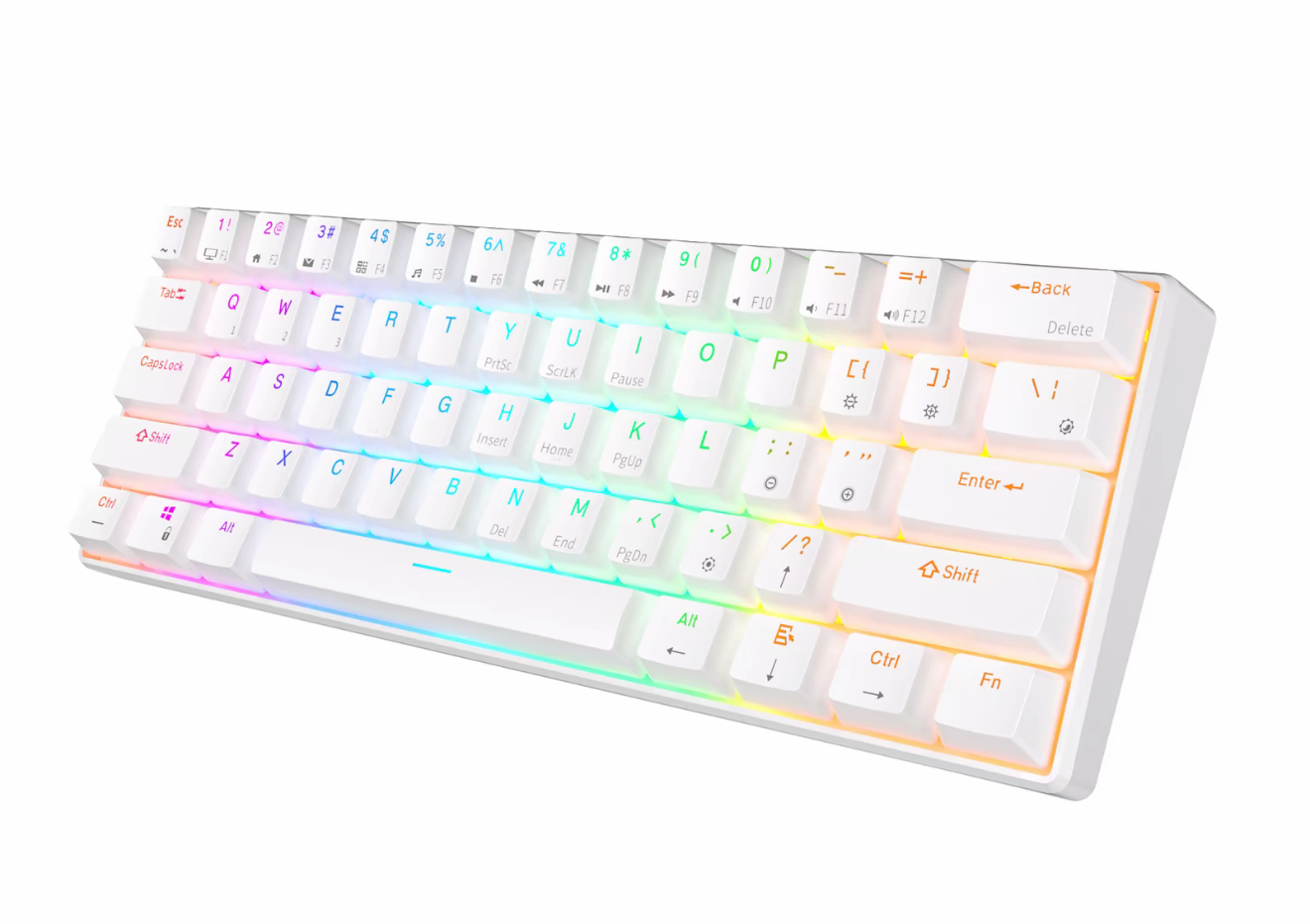
1. Royal Kludge RK61
- 60% compact keyboard, perfect for small desks
- Hot-swappable switches (pwede mo palitan later)
- Available: Shopee, Lazada | Price Range: ₱2,500-₱3,200
👉 [BUY HERE] https://vt.tiktok.com/ZSHwDE4x2ouRA-OzZJ5/
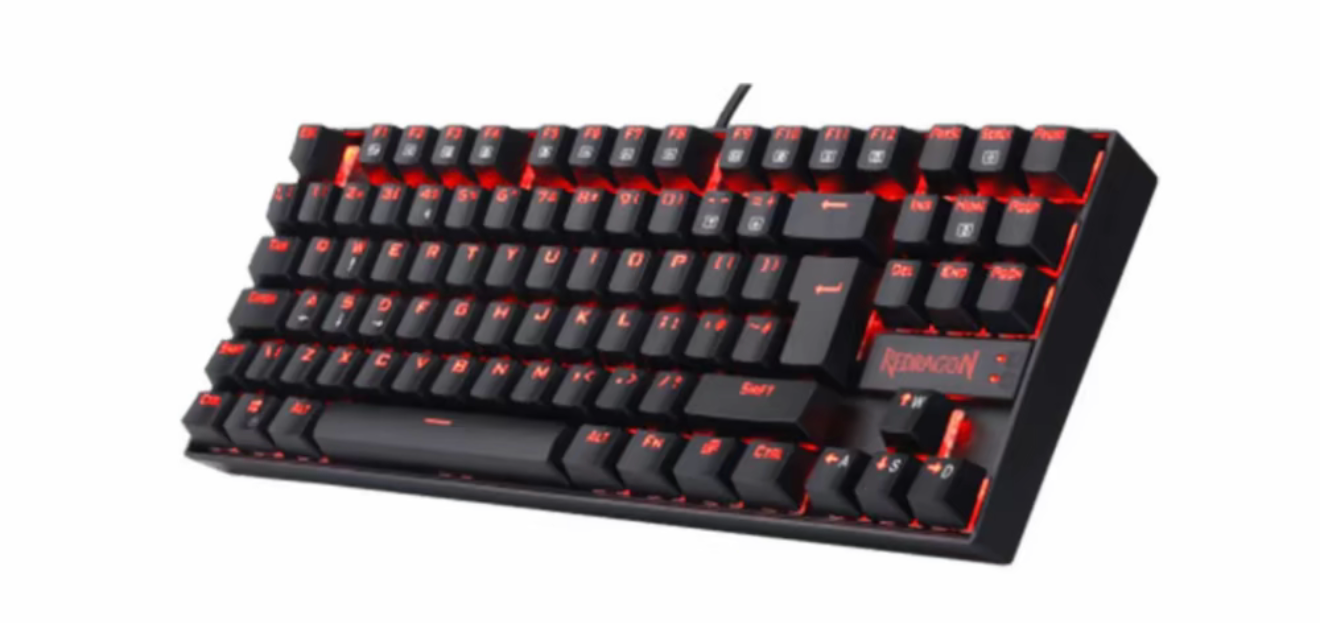
2. Redragon K552 Kumara
- TKL (Tenkeyless) layout
- Durable build, beginner-friendly
- Available: Shopee, Lazada, Datablitz | Price Range: ₱2,200-₱2,800
👉 [BUY HERE] https://vt.tiktok.com/ZSHwDoMsBkFch-ImCOv/
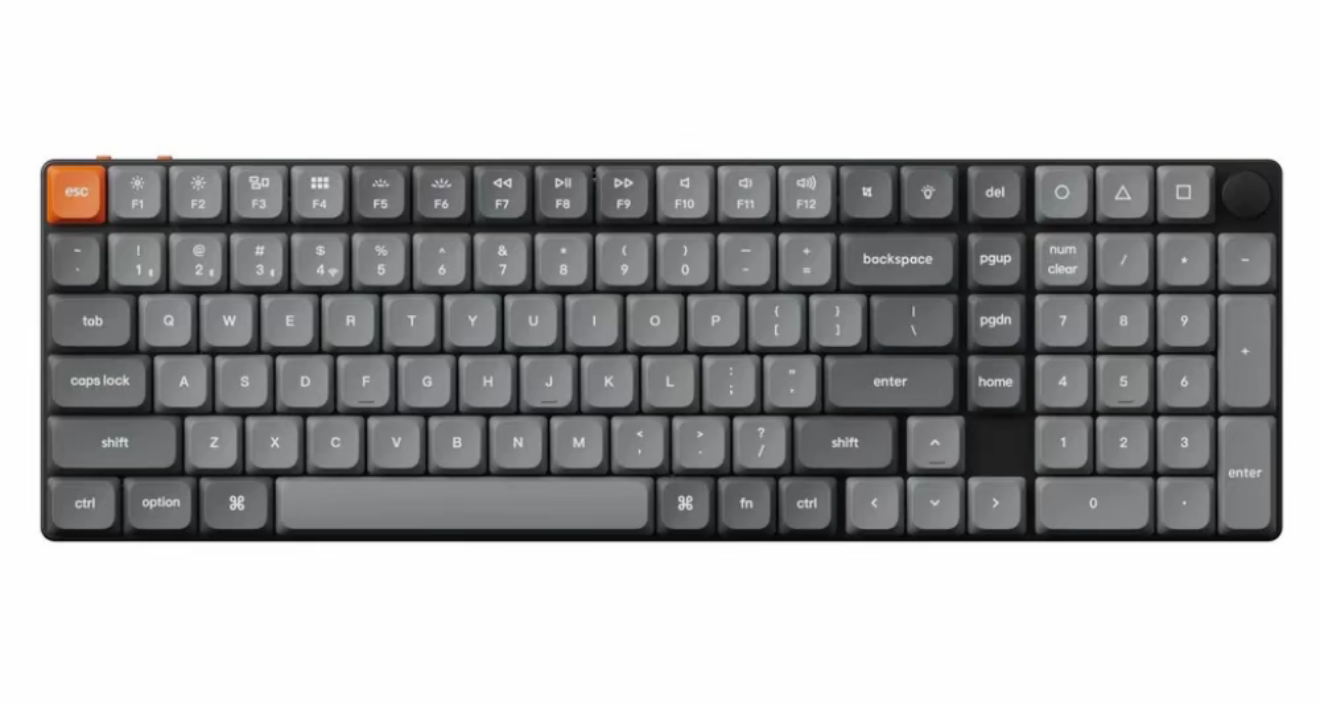
3. Keychron K17
- Full-size layout with numpad
- Mac and Windows compatible
- Available: Shopee, Lazada | Price Range: ₱3,500-₱4,200
👉 [BUY HERE] https://vt.tiktok.com/ZSHwDomhgCsVs-UOvT4/